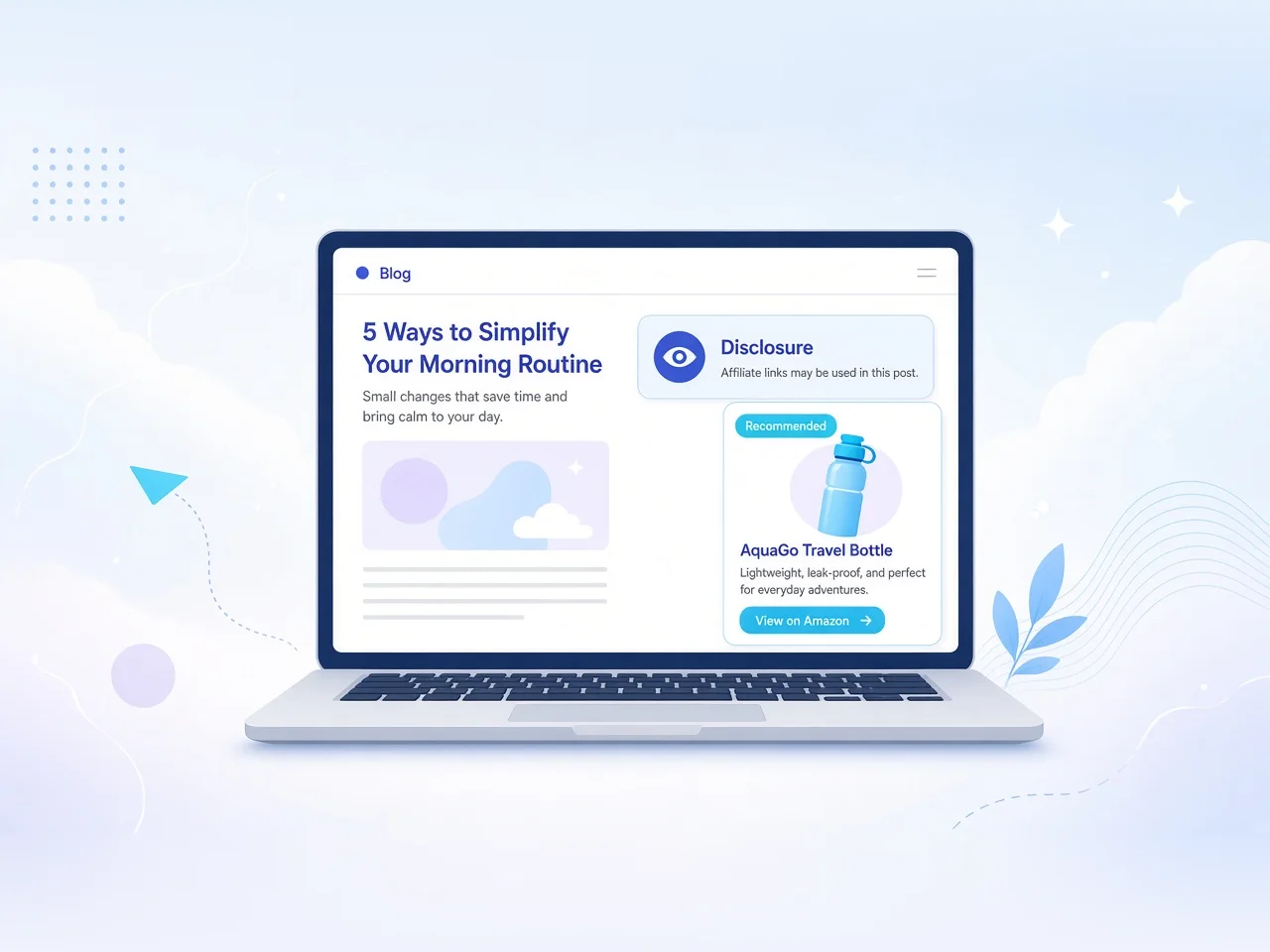
Clear, conspicuous affiliate disclosures on WordPress: placement, four implementation methods, a checklist, and networks publishers commonly disclose for.
Sep 27, 2026 · 8 min read
When you earn a commission from a link, readers deserve to know. In the United States, the FTC’s Endorsement Guides expect clear and conspicuous disclosure of material connections—including affiliate relationships. On WordPress, that means placing an honest notice where people actually see it, not burying it in a footer they never scroll to.
This guide covers what a disclosure is, how it maps onto a WordPress site, placement that meets the “clear and conspicuous” bar, four ways to ship one, and a short checklist you can finish today. For measuring those links after the notice is live, see how to track affiliate links in WordPress.
What an affiliate disclosure actually is
An affiliate disclosure is a plain-language statement that you may earn compensation when a reader clicks certain links or buys through them. It is not legal theater and it is not a marketing badge. Its job is to make the material connection between you and the merchant obvious before—or at the same time—the endorsement influences a decision.
Under the FTC Endorsement Guides, that connection must be hard to miss: close to the claim, in language a typical reader understands, and not hidden behind jargon, tiny type, or a vague “partners” label. Exact wording can vary by site and jurisdiction; what matters is that a reasonable person would understand you might get paid if they act on the link. Disclosures also travel with formats—a post, homepage widget, newsletter, or video each need the connection clear in that context, not only once on a policy page.
How disclosures work on a WordPress site
WordPress separates content, templates, and plugins. A disclosure can live in any of those layers:
Content — written into each post near the first affiliate mention.
Templates / patterns — injected by the theme, a block pattern, or the Site Editor.
Plugins — display rules by taxonomy, post type, or similar signals.
Code snippets — hooks such as the_content filters that prepend a fixed string.
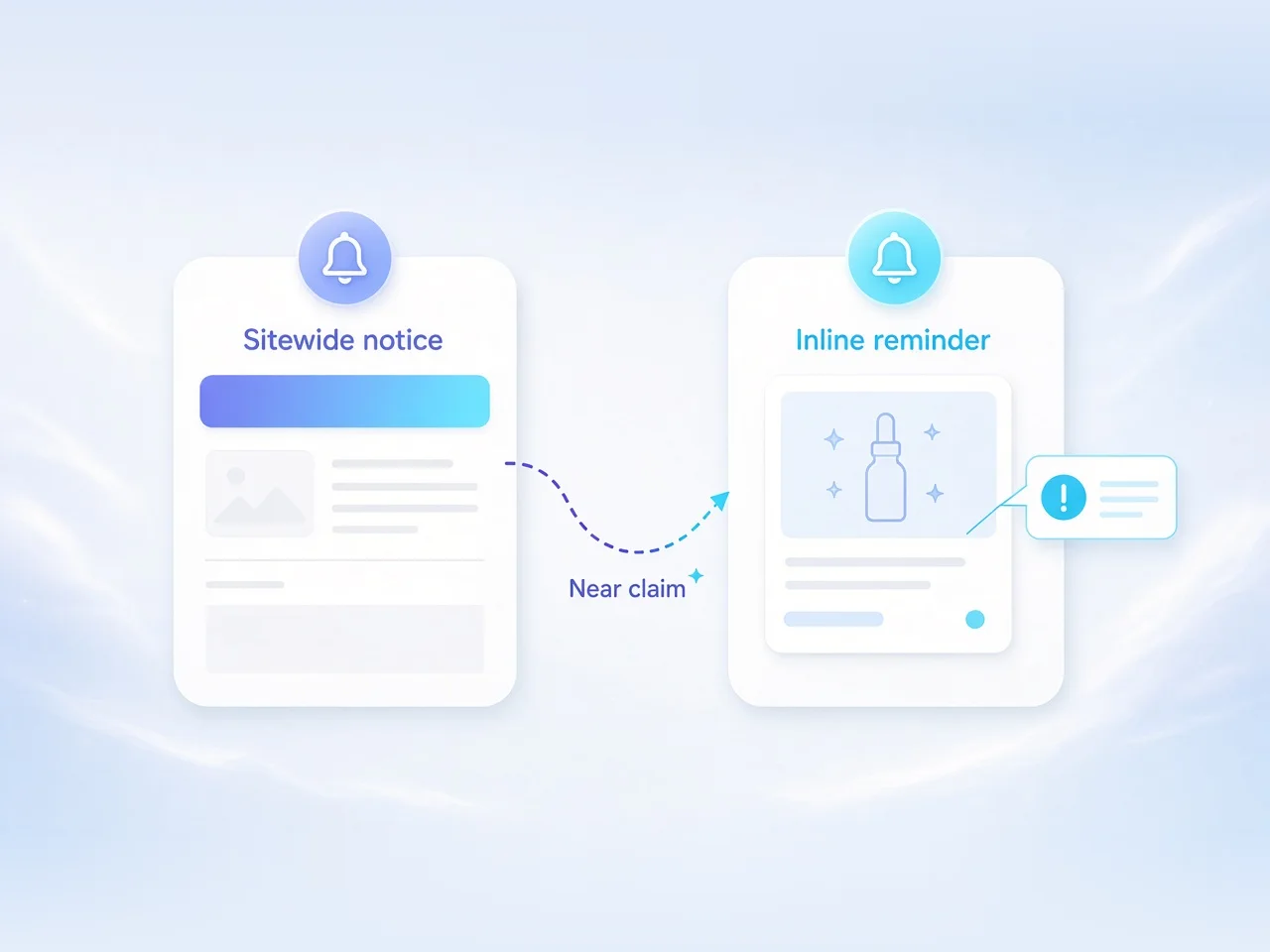
Most publishers combine approaches: a sitewide notice on pages that routinely contain affiliate links, plus inline reminders next to prominent recommendations. The sitewide layer covers consistency; the inline layer covers “conspicuous near the claim” when a post is long or the first affiliate link sits far down the page.
Sitewide notice near the top, plus an inline reminder beside the first recommendation
Theme choice matters less than placement. Block themes and classic themes can both surface a disclosure; the difference is whether you edit a template part, a pattern, or a PHP template. What readers see—and whether they see it before they click—matters more than which API you used.
What "clear and conspicuous" looks like
“Clear and conspicuous” is a usability test as much as a legal phrase. Ask whether someone skimming on a phone would notice the notice before acting on the endorsement.
Criterion
Meets the bar
Usually falls short
Placement
Near the top of the post or beside the first affiliate claim
Only in the footer, sidebar, or a linked policy page
Normal font size, sufficient contrast, not collapsed by default
Tiny gray text, hover-only, or below the fold on mobile
Timing
Visible before or with the recommendation
After the CTA, behind a modal, or only on a separate page
Scope
Covers formats where links appear (posts, widgets, emails)
One homepage sentence that never appears on product roundups
A short, readable sentence in the introduction often outperforms a long legal paragraph readers skip. Link out to a fuller disclosure page for detail—but do not rely on that link alone when the post itself contains affiliate offers.
Four ways to add disclosures in WordPress
1. Theme template or template part
In a block theme, open the Single Post template in the Site Editor and insert a paragraph or group above Post Content. In a classic theme, edit single.php or a child-theme template part and echo a fixed string before the_content(). Reliable for a uniform sitewide notice—keep the copy in one place so you are not hunting through PHP later.
2. Block pattern
Create a reusable pattern with your standard wording. Insert it at the top of new posts, or drop it above the first product block. Patterns suit non-developers and travel well across sites, but they do not auto-insert unless wired into a template or plugin rule—treat them as workflow, not a set-and-forget guarantee.
3. Plugin
Disclosure or affiliate-manager plugins can inject notices by post type, category, or tag. Some detect known affiliate domains; others rely on editors marking posts. Choose based on how consistently your team tags content. Prefer a calm inline notice over a sticky overlay that covers the first paragraph on mobile.
4. Code snippet
A small the_content filter (child theme or snippets plugin) can prepend disclosure HTML when a post has a category, custom field, or meta flag. Powerful and easy to break during theme switches—document the hook, keep the string in a constant or option, and test on staging first.
Whichever path you pick, store the canonical wording in one editable location. Duplicated copy across posts drifts; a single source of truth does not.
A practical placement checklist
01First screen — Can a phone user see a disclosure without scrolling past the first recommendation?
02Near the claim — If the lede is narrative and the roundup starts mid-article, is there a local reminder?
03Widgets and blocks — Do product cards or comparison tables inherit or show the disclosure?
04Archives and homepage — If excerpts include affiliate CTAs, is the connection still clear?
05Non-HTML surfaces — Newsletters and embeds that reuse the same offers need their own notices.
06Language — Would a first-time visitor understand you might get paid—without jargon?
07Maintenance — When you add a network, does the disclosure still describe how you earn?
Pair this with your networks roster so the programs you promote and the wording you use stay aligned.
Networks you'll commonly disclose for
WordPress publishers often disclose for large marketplaces and multi-merchant networks—where product roundups concentrate. A disclosure does not name every merchant in every sentence; it states that some links are affiliate links and that you may earn a commission. Knowing which networks drive most clicks still helps keep wording honest.
Where many sites start when they need stable programs and clear merchant terms:
Update your longer disclosure page when your mix of networks changes in a material way—for instance when you add a program with different cookie or payout mechanics readers might want explained there.
Common mistakes
Footer-only disclosures. Footers are easy to miss. They can supplement a visible notice; they should not be the only notice on a post packed with affiliate links.
Jargon and abbreviations. Unexplained “#ad,” “#aff,” or “partner link” without plain language fails the clarity test for many readers. Expand short social labels in the post itself.
One disclosure for every surface. A sitewide WordPress notice does not cover an Instagram Story or email blast that reuses the same offer. Match the disclosure to the medium.
Inaccurate scope. Overstating independence when you earn commissions is worse than a plain “some links are affiliate links.” Keep the statement true.
Set and forget after a redesign. Theme swaps and full-site editing changes often drop template parts. Re-check the single-post template after major updates.
Treating a policy page as sufficient. Linking “Affiliate Disclosure” in the menu is useful documentation—not a substitute for a conspicuous notice beside the endorsement.
Step-by-step: ship a sitewide disclosure today
01Write one clear sentence. Example shape: “This post contains affiliate links. I may earn a commission if you buy through them, at no extra cost to you.” Adapt to your voice; keep it plain.
02Create a longer disclosure page under a stable URL (for example /affiliate-disclosure/) that explains which kinds of links are monetized.
03Choose an injection method from the four above. For most small sites, a Site Editor template part above post content is enough; editorial teams can add a block pattern for mid-post reminders.
04Apply it to single posts and any custom post types that carry product recommendations.
05Add inline reminders on long roundups next to the first strongly worded recommendation.
06Preview on mobile. Confirm contrast, font size, and that nothing critical is covered by a sticky bar.
07Spot-check five live URLs that already convert. Fix any that only disclose in the footer.
08Document where the canonical string lives so theme updates do not silently remove it.
Treat the disclosure as part of the recommendation, not as compliance garnish. One clear sentence near the top of affiliate posts, a stable policy page for detail, and a quick mobile check after every theme change will cover most WordPress publishers. Keep the wording honest as your network mix evolves, and prefer plain language over clever labels. Clarity builds trust; trust is what makes affiliate content worth reading—and worth clicking.
Frequently asked questions
Do I need an affiliate disclosure on every WordPress post?
Disclose on any page or post where affiliate links or monetized recommendations appear. A sitewide notice on those templates plus inline reminders near strong claims is the usual pattern; pure editorial posts with no affiliate links do not need the same notice.
Is a footer disclosure enough?
Usually not by itself. Footers are easy to miss. Put a clear notice near the top of the content or beside the first affiliate claim, and treat the footer as a supplement—not the only disclosure.
What wording should I use for an affiliate disclosure?
Use plain language a typical reader understands—for example that the post contains affiliate links and you may earn a commission if they buy through them. Avoid unexplained abbreviations or vague “partner” labels as your only notice.
Where does the FTC Endorsement Guides guidance apply?
In the United States, the FTC Endorsement Guides expect clear and conspicuous disclosure of material connections, including affiliate relationships. Exact requirements can vary by jurisdiction; when in doubt, make the connection obvious near the recommendation.
Should I use a plugin or edit the theme template?
Either can work. Template parts or Site Editor blocks suit a simple sitewide notice; plugins help when rules differ by category or post type; snippets fit teams comfortable with hooks. Pick one canonical source of wording so copy does not drift.
Do I need to name every affiliate network in the disclosure?
Not in every post sentence. State that some links are affiliate links and you may earn a commission. Maintain a longer disclosure page if you want to describe major programs, and update it when your network mix changes in a material way.
Does a WordPress sitewide disclosure cover email and social posts?
No. Disclosures should match the medium. Newsletters, social captions, and videos that reuse the same offers need their own clear notices in those contexts.